FAULT REPORTING
Scan. Describe. Done. Faults reported in under a minute.
No app to download, no account to create — just a QR code on the wall and a phone in your pocket. The right contractor is notified the moment you submit, automatically.
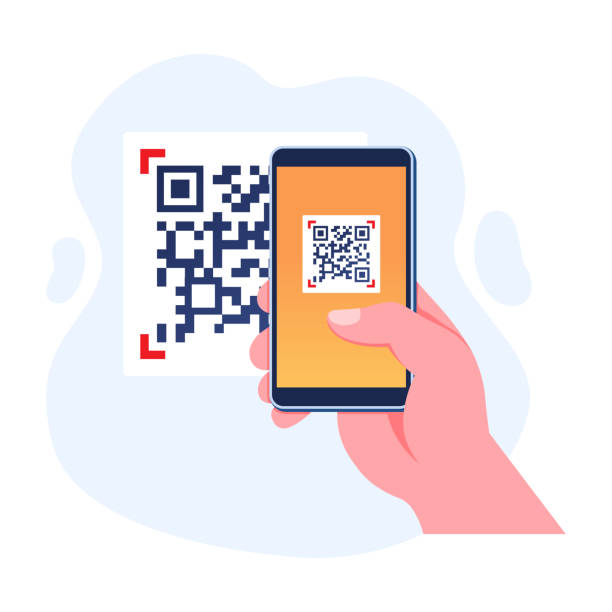
HOW IT WORKS
Four steps. Under a minute. No training required.
Scan the QR code
Every room has one, mounted at eye level. No app required — it opens straight in your phone’s browser.
Describe the fault
Pick the item from a dropdown, describe the issue in a sentence, add a photo if it helps. Takes under a minute.
We're notified instantly
Your fault report goes to John and the exact contractor responsible for that item — at the same time, automatically.
Track it to completion
Get a reference number and SMS updates. See live status any time — no phone call needed.
The old way wastes everyone's time.
Without In A Nutshell
- ✕Who do I even call?
- ✕Hope someone remembers to follow up
- ✕No record of what was reported
- ✕Wrong contractor, wasted callout
- ✕No idea if it's been fixed
With In A Nutshell
- ✓One QR code, every time
- ✓Automatic notification, no follow-up needed
- ✓Every report timestamped and tracked
- ✓Right contractor notified automatically
- ✓Live status visible any time
Two people are notified. Every time. No exceptions.
The moment a fault is submitted, two notifications fire simultaneously — one to John Roberts at In A Nutshell, and one to the specific contractor linked to that item. No manual dispatch, no delay, no miscommunication.
John Roberts — always
Every single fault report reaches John regardless of the item, the site, or the contractor assigned. Nothing happens without him knowing.
Your contractor — automatically
The specific contractor responsible for that item is notified instantly. No middleman, no delay — they know what the fault is, where it is, and what item is affected before they pick up the phone.
If your item isn’t listed in the dropdown, your report goes straight to John for manual assignment. Nothing falls through the cracks.
COMMON QUESTIONS
Questions about fault reporting.
The fault report form is a lightweight web page that loads on any mobile connection including basic 3G. If you have no signal at all, note the fault and submit as soon as you have connection — the system timestamps your submission, not when you opened the form.
Yes — anyone can submit a fault report by scanning the QR code in the affected room. They’ll need to provide their name, email, cell number, and business unit. The report goes through exactly the same notification process regardless of who submits it.
John receives every report regardless of which item is selected, so even if the wrong contractor is initially notified, John can reassign it immediately. If you’re unsure which item to select, choose “Other” — the report goes directly to John for manual assessment.
Your name, email, and cell number are collected solely to process your fault report and send you status updates. This information is stored securely and handled in accordance with South Africa’s Protection of Personal Information Act (POPIA). See our Privacy Policy for full details.
READY TO GET STARTED?
Ready to give your team a faster way to report faults?
QR codes installed across your building. Every fault logged, tracked, and resolved. No app, no training, no chasing.
Or email john@inanutshell.co.za — response within 4 business hours.